
Step 1: Gather Your Information
Before you open the Plan Builder, spend a few minutes collecting these numbers. Having them ready makes the process much faster.
- Investment account balances: Check your 401(k), IRA, Roth IRA, brokerage accounts, and any other investment accounts. You need the current balance for each one.
- Social Security estimate: Log into ssa.gov/myaccount and look at your estimated monthly benefit at different claiming ages (62, 67, 70). If you have a spouse, get their estimate too.
- Pension information: If you have a pension, find your annual benefit amount and the age it starts.
- Monthly spending: A rough number is fine to start. Look at your take-home pay minus what you save each month. For most households, this is somewhere between $4,000 and $10,000 per month.
- Debt details: For any mortgage, auto loan, or other debt: the remaining balance, monthly payment, and interest rate.
Do not worry about getting every number perfect. Reasonable estimates are fine for your first plan. You can always refine later.
Step 2: Create Your Account
Sign up at RetirePlanAI and complete the brief onboarding questionnaire. This asks for your basic information (age, retirement age, whether you have a spouse) and sets up your initial plan settings. It takes about two minutes.
Step 3: Complete the Plan Builder
The Plan Builder is a guided wizard that walks you through each section of your financial plan. You can complete the sections in any order, skip sections you want to come back to later, and save your progress at any time.
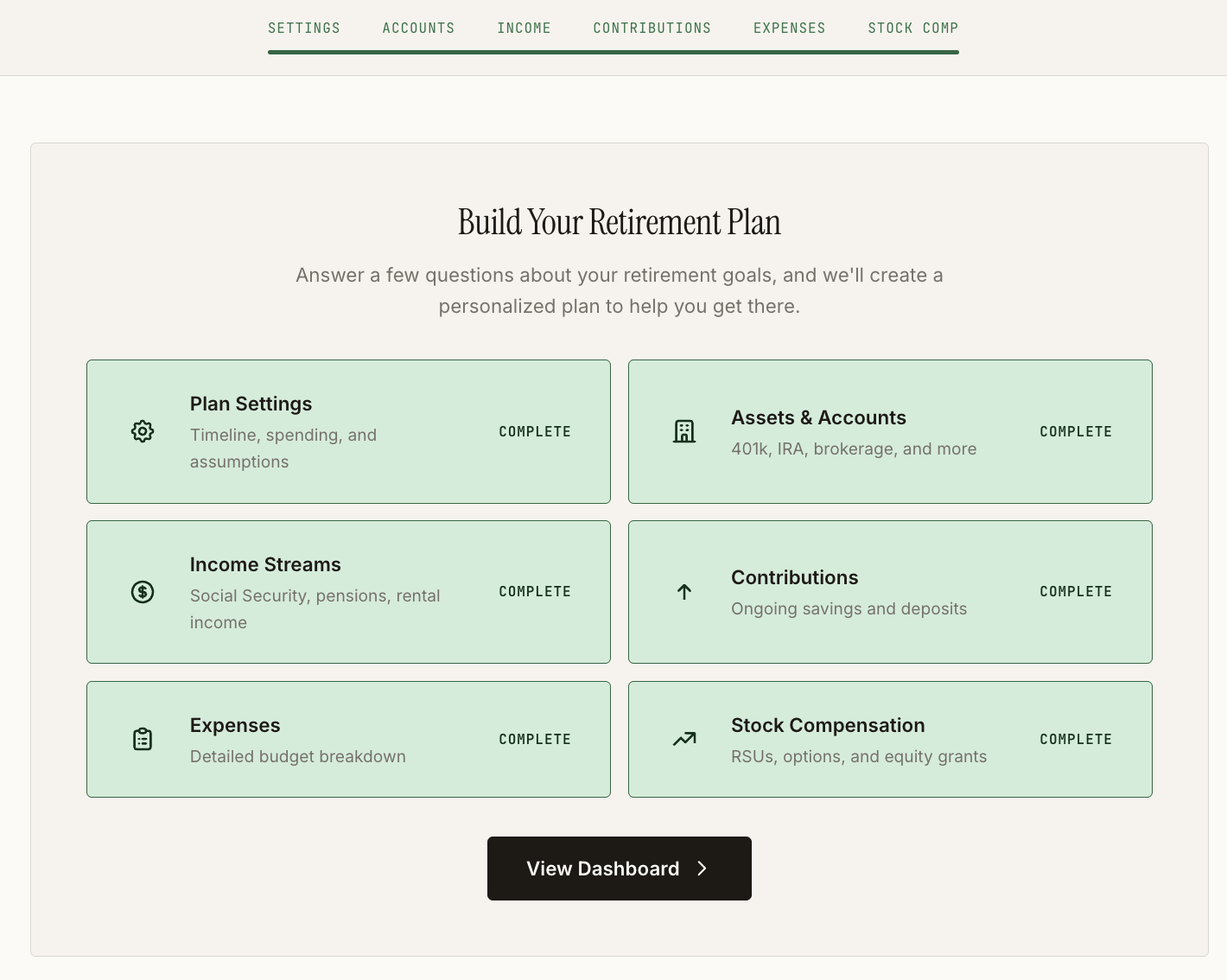
Plan Settings
The first section collects your core planning assumptions in six steps:
- Ages: Your current age, planned retirement age, and life expectancy assumptions.
- Spouse: If you have a spouse, their age and retirement age.
- Spending: Your retirement spending goal. You can enter a simple monthly total or build a detailed category-by-category budget. Start with the simple option if you are not sure.
- Withdrawal strategy: How you plan to draw down your portfolio in retirement. The Classic 4% Rule is a good default if you are not sure. You can change this later. See Withdrawal Strategies Explained for details on each option.
- Location: Your current and planned retirement location. This helps with future tax-related features.
- Market assumptions: Inflation rate, housing appreciation, and Social Security COLA. The defaults are based on historical data and work well for most people. You can adjust them if you have specific expectations.
Accounts
Add each of your investment and retirement accounts. For each one, enter:
- Account type (401k, Traditional IRA, Roth IRA, brokerage, etc.)
- Current balance
- Expected rate of return (conservative and aggressive estimates)
If you have accounts that hold cash or stable value funds (money market, CDs), mark them as stable accounts so the projections treat them differently from market-exposed investments.
Income Streams
Add your expected retirement income sources:
- Social Security: Your monthly benefit amount and planned claiming age (62-70). Add your spouse's benefit separately if applicable.
- Pensions: Annual amount, start age, and whether it adjusts for inflation.
- Part-time work: If you plan to work part-time in early retirement, add it with start and end ages.
- Rental income, dividends, or other sources: Anything else that will provide regular income.
Contributions
If you are still working, enter your current contributions to each account (401k contributions, IRA contributions, etc.). These are used to project how your accounts will grow between now and retirement.
Expenses
Add any debts (mortgage, auto loans, student loans) and one-time future expenses (home repairs, vehicle replacements, major trips). Debts automatically drop off your expenses when they are paid off. One-time expenses appear at the specific age you set.
RSU Grants (if applicable)
If you have restricted stock units from your employer, add your grant details including vesting schedule and current share price.
Step 4: Review Your Dashboard
Once you have entered your data, head to the Dashboard. This is your plan's home base. It shows:
- Portfolio target: How much you need saved by retirement to fund your plan.
- Current progress: How your current savings compare to the target.
- Projected income in retirement: Your combined income from all sources.
- Financial readiness score: An overall assessment of where your plan stands.
Do not panic if the numbers are not where you want them. The whole point of the tool is to help you find adjustments that improve your outlook. The dashboard is your starting point, not your final answer.
Step 5: Run a Monte Carlo Simulation
Your dashboard projections assume steady, average returns every year. Real markets do not work that way. A Monte Carlo simulation tests your plan against 5,000 randomized market scenarios to give you a more realistic picture.
Go to the Reports section and run a Monte Carlo simulation. The key number is your success rate: the percentage of simulated scenarios where your money lasts through retirement. Most planners recommend targeting 80-90%.
The simulation also shows you percentile outcomes so you can see the range of possibilities, from the worst-case 10th percentile to the best-case 90th percentile. See Monte Carlo Simulation Methodology for a deeper explanation.
Step 6: Explore and Optimize
Now that you have a baseline plan, you can start exploring ways to improve it.
- What-If Scenarios: Create copies of your plan with different assumptions. What if you retire at 63 instead of 65? What if you reduce spending by $500/month? Scenarios let you compare alternatives side by side. See Retirement Scenarios.
- Social Security Optimizer: Tests every claiming age combination (81 for couples) and ranks them by total lifetime income. See Social Security Optimization.
- Roth Conversion Planner: Models whether converting Traditional IRA funds to Roth before retirement could reduce your lifetime tax burden. See Roth Conversion Planning.
- AI Coach: A conversational assistant that has access to your complete financial picture. Ask it questions like "What is the single biggest thing I can do to improve my plan?" or "Should I claim Social Security at 62 or 67?"
Tips for Getting the Most Out of RetirePlanAI
- Start with estimates, refine later. Do not let the pursuit of perfect data stop you from building your first plan. A plan built on reasonable estimates is far more useful than no plan at all. You can always update the numbers as you gather more precise information.
- Focus on the big levers first. Retirement age, spending level, and Social Security claiming age have far more impact on your plan than fine-tuning your inflation assumption by half a percent. Get the big decisions right before sweating the details.
- Use scenarios to test your biggest questions. Do not try to optimize everything in your head. Create scenarios, look at the numbers, and let the data inform your decisions.
- Update monthly. Your plan is most useful when the numbers are current. Set a reminder to update your account balances each month, and after any major financial event (raise, inheritance, market correction).
- Run Monte Carlo after every significant change. Changed your retirement age? Updated your spending? Added an account? Run the simulation again to see how your success rate changed.